Can't Log Into the Schlage® Home App: Account and Password Fixes
You cannot get into the app, but the lock still works at the door — that separation matters. Work through email case and typos, a genuine password reset (not a retry), spam filtering of the reset mail, and network-level blocks, before assuming the account is broken. Never factory reset the lock to solve a login problem.
By the Smartlage editorial team ·
Every fix is tested before publication. Steps we could not confirm on hardware are marked [VERIFY] rather than guessed. Our editorial standards.
Tested on: iOS [VERIFY: version not confirmed] · Schlage Home app [VERIFY: version not confirmed] · Lock firmware [VERIFY: version not confirmed] · Hardware [VERIFY: version not confirmed]
Access to your account and access to your door are two different things. A Schlage® lock keeps accepting its keypad codes whether or not you can sign in, so treat this as an inconvenience to solve calmly rather than a lockout emergency.
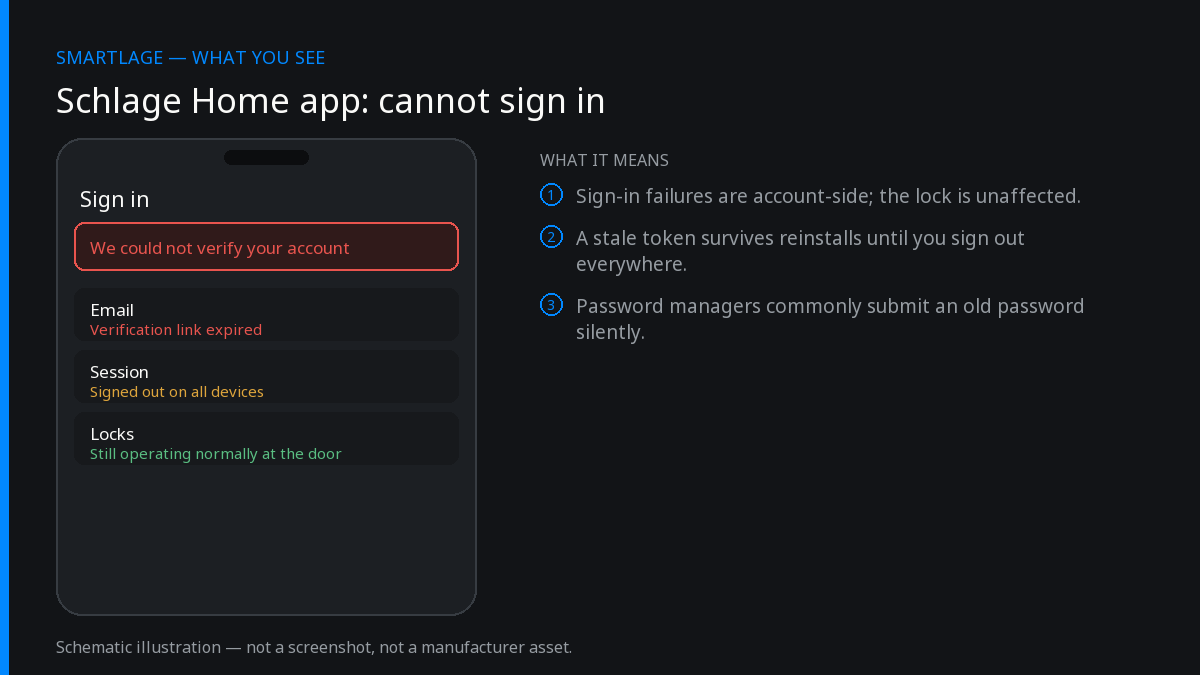
Account fixes in order
Retype the email address by hand
Autofill frequently offers a similar address from another service, and an address with a stray capital or a trailing space fails silently. Type it out, then check for the substitutions your keyboard makes automatically.
Confirm: The error changes from 'account not found' to a password error — that means the address is right.
Request a password reset rather than guessing again
Repeated failed attempts can trigger a temporary lockout that looks identical to a wrong password. Use the reset link once, then wait for the email instead of requesting it repeatedly — each new request usually invalidates the previous link.
Confirm: You receive one reset email and the link opens a password form.
Search spam, promotions and any alias forwarding
Reset mail routinely lands in spam or in a filtered tab. If you signed up with an alias or a forwarding address, check the destination mailbox. Search for the sender domain rather than the subject line.
Set a password your keyboard can actually type
Very long passwords with unusual symbols occasionally fail validation on one platform and not another. Set something strong but conventional, save it in your password manager, then sign in.
Confirm: The new password works in a fresh app session.
Switch networks and try again
Move off Wi-Fi to cellular data, or vice versa. A VPN, a DNS filter or a corporate network can block the authentication endpoint while the rest of the app appears to load.
Confirm: Sign-in succeeds on the alternate network — that identifies the block.
Update or reinstall the app
An outdated build can fail against a changed authentication flow. Update from the App Store first; if that does not help, delete and reinstall to clear a corrupted session token. Your locks and codes are on the account, not the phone.
Confirm: The app presents a clean sign-in screen with no stale session error.
Contact Schlage support with your account email
If the reset email never arrives on any address, the account record itself needs attention and only the vendor can fix it. That is a support request, not a troubleshooting step you can complete yourself.
While you are locked out of the app
- Keypad codes keep working. Nothing about the account affects codes already stored on the lock.
- Your physical key still works on keyed models.
- On HomeKit models, Apple Home control and Home Key are independent of the Schlage account and continue to work.
- What you lose is remote control, activity history, and the ability to add or remove codes from the app.
Two-factor and email changes
If you changed the email address on the account, sign in with the new one — the old address stops working immediately even though older devices may still show a valid session. If a household member set up the account, sign in as them or have them re-invite you rather than creating a second account for the same lock.
Creating a duplicate account is the most common self-inflicted wound here. Two accounts cannot both own the same lock, and disentangling them means removing and re-adding the lock.
Before you create a new account, confirm nobody else in the household already owns the lock.
What not to do
- Do not factory reset the lock. It wipes every access code and any HomeKit pairing and does nothing for a cloud account problem.
- Do not remove the lock from the app if you can still see it — you may not be able to re-add it without the programming code.
- Do not request the reset email five times in a row; you invalidate your own links.
Common questions
- Can I still unlock my door if I cannot log into the Schlage app?
- Yes. Keypad codes, the physical key on keyed models, and Apple Home access on HomeKit models are all independent of the app account.
- Why is the Schlage password reset email not arriving?
- Check spam and filtered tabs first, then any forwarding alias. If it never arrives on any address, the account record needs vendor support — repeated requests only invalidate earlier links.
- Should I make a new account if I cannot get into mine?
- No. A lock can only be owned by one account, and a duplicate account means removing and re-adding the lock to move it. Recover the original account instead.
- Does reinstalling the app log me out of my locks?
- It signs you out of the app only. Locks and codes live on the account and the lock, so signing back in restores everything.
- Could my network be blocking sign-in?
- Yes. VPNs, DNS filters and restricted networks can block the authentication endpoint while the rest of the app loads. Test on cellular data to rule it out.
Related
- Why the Schlage® Home App Now Shows Ads (And What You Can Do About It)
- Schlage® Home App "Failed to Perform Action": How to Fix It
- Schlage® Home App Notifications Not Working: Complete Fix
- Schlage Encode (BE489): features, limits and known issues
- Schlage compatibility matrix: every model against every feature
- Schlage Home app alternatives: Apple Home, Home Assistant and third-party apps
We also make Smartlage, an independent iPhone app for Schlage® locks — widgets, Shortcuts and faster access codes. What it does.