Schlage® Lock Shows Offline in the App But Works Manually
The lock works at the door but reads offline in the app, which means the mechanism is fine and one of three links is broken: the lock's radio, the router path, or the cloud session on your phone. Test them in that order — batteries and signal at the door, then router and IP assignment, then sign out and back in — and you will find it without touching the lock's programming.
By the Smartlage editorial team ·
Every fix is tested before publication. Steps we could not confirm on hardware are marked [VERIFY] rather than guessed. Our editorial standards.
Tested on: iOS [VERIFY: version not confirmed] · Schlage Home app [VERIFY: version not confirmed] · Lock firmware [VERIFY: version not confirmed] · Hardware [VERIFY: version not confirmed]
This is a reporting failure, not a lock failure. Everything mechanical and everything local — keypad codes, the physical key, Home Key on the Encode Plus — continues to work. What you have lost is remote control and activity history.
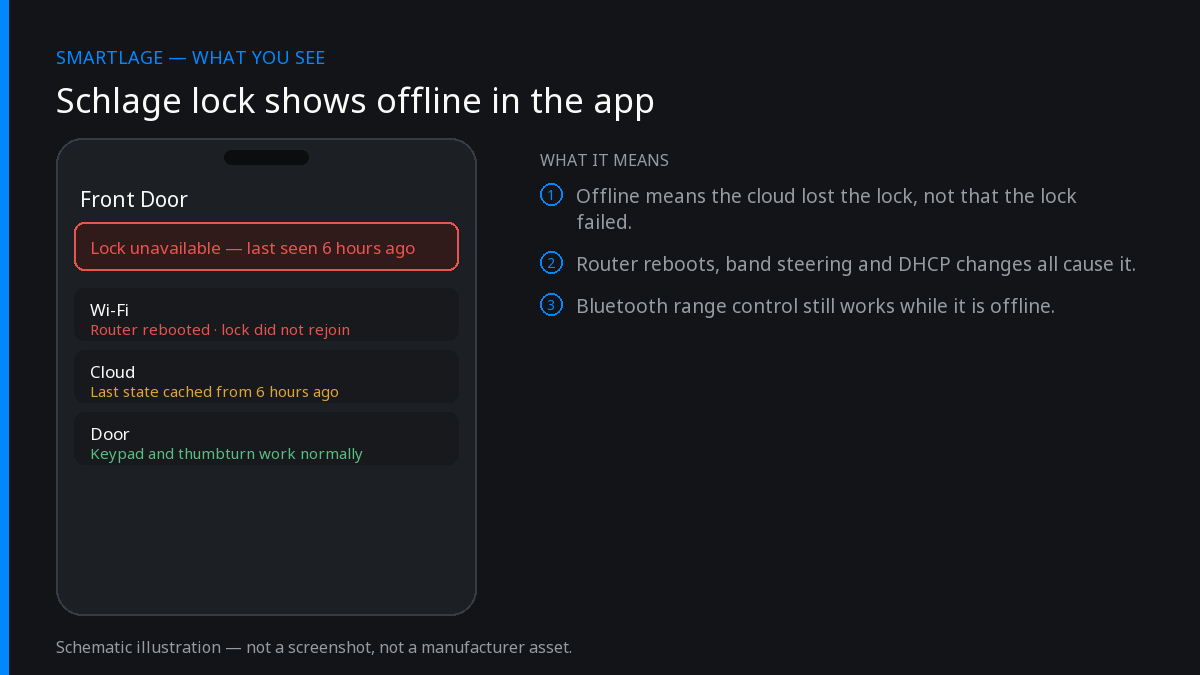
Diagnose in three layers
Rule out the phone first — it is free
Force-quit the app and reopen it. Then check from a different network: if the lock appears online over cellular data but not over home Wi-Fi, the problem is your phone's network, not the lock.
Confirm: The lock status matches on two different phones or two different networks.
Fit fresh batteries
A pack with enough charge to turn the bolt may not have enough to hold a Wi-Fi association. Intermittent offline states are the classic symptom of a lock that is nearly out of power, and the app's battery estimate is not precise enough to rely on here.
Confirm: The lock reconnects within a couple of minutes of the new cells going in.
Measure the signal where the lock actually is
Stand at the interior assembly with your phone and check the 2.4GHz signal. Exterior doors sit behind metal frames and masonry. A marginal signal produces exactly this pattern: works when you are home and the door is busy, drops overnight.
Confirm: The lock stays online through a full night with no activity.
Look for the lock in the router's client list
Present and stable means the radio is fine and the problem is upstream. Appearing and disappearing means an association problem. Absent entirely means the lock never rejoined after a router reboot or a Wi-Fi password change.
Confirm: The lock holds a single IP address across a day.
Reserve a fixed IP and disable aggressive power saving
DHCP churn, airtime fairness and Wi-Fi power-saving features drop long-lived idle connections, which is exactly what a lock maintains. A DHCP reservation plus a dedicated 2.4GHz IoT SSID removes most intermittent dropouts permanently.
Confirm: No further offline events across a week.
Sign out of the app, reinstall, sign back in
If the lock is demonstrably on the network but the app still shows it offline, the stale link is your cloud session. A reinstall re-registers the device cleanly.
Confirm: Status and activity history both refresh to the current state.
Remove the lock's Wi-Fi configuration and re-enrol it
The last non-destructive step, and different from a factory reset — it does not wipe access codes. Re-enrol on the 2.4GHz network standing close to the router.
Confirm: Remote lock and unlock work from cellular data away from home.
Bluetooth-only models are a different case
The Sense (BE479) is Bluetooth-based, so it is expected to show as unavailable when you are away unless the Sense Wi-Fi Adapter or a HomeKit home hub is bridging it. If a Sense is offline, check the adapter or the hub, not the lock.
On Thread-based setups such as the Encode Plus in Apple Home, an offline accessory usually means the border router — an Apple TV or HomePod — is unreachable.
Match the diagnosis to the radio. Wi-Fi problems, Thread problems and Bluetooth range problems look identical in an app but have nothing in common.
Did anything change on the network?
- A new router or ISP box: the lock has to be re-enrolled with the new credentials.
- A Wi-Fi password change: same.
- A mesh system added or a node moved: the lock may be clinging to a distant node.
- A firmware update on the router that re-enabled band steering.
- A guest-network or client-isolation setting applied to the whole SSID.
What you can still do while it is offline
Keypad codes, the physical key, and any local Apple Home access continue to work. You can also stand next to the lock and use the app over Bluetooth for most operations, which is worth knowing when you need to add a code before a guest arrives and cannot wait for a network fix.
Common questions
- Why does my Schlage lock show offline but still work?
- The mechanism and its stored codes are local; the app status depends on the lock's network connection and the cloud. Offline means the reporting path broke, not the lock.
- Does an offline lock still record activity?
- Events that happen while the lock is disconnected may not reach the app's history at all, so gaps in the log are expected during an outage.
- How do I know if it is the lock or my phone?
- Check from a second phone or a different network. If both show offline, it is the lock's connection; if only one does, it is that device's app session or network.
- Will re-enrolling Wi-Fi delete my codes?
- No. Removing and re-adding the Wi-Fi configuration is not a factory reset and leaves access codes in place.
- Should the lock have a fixed IP address?
- A DHCP reservation is a good idea. It removes a common source of intermittent dropouts caused by address churn on busy home networks.
Related
- Why the Schlage® Home App Now Shows Ads (And What You Can Do About It)
- Schlage® Home App "Failed to Perform Action": How to Fix It
- Schlage® Home App Notifications Not Working: Complete Fix
- Schlage Encode (BE489): features, limits and known issues
- Schlage compatibility matrix: every model against every feature
- Schlage Home app alternatives: Apple Home, Home Assistant and third-party apps
We also make Smartlage, an independent iPhone app for Schlage® locks — widgets, Shortcuts and faster access codes. What it does.