Schlage® Keypad Disabled: What Triggers It and How to Re-Enable
A Schlage® keypad that refuses entries is usually doing its job: repeated wrong codes trigger a deliberate security lockout that clears itself after a timeout. Wait it out rather than hammering the keypad, then rule out the other three causes — flat batteries, moisture or debris under the buttons, and a lockout mode enabled deliberately in the app or at the lock.
By the Smartlage editorial team ·
Every fix is tested before publication. Steps we could not confirm on hardware are marked [VERIFY] rather than guessed. Our editorial standards.
Tested on: iOS [VERIFY: version not confirmed] · Schlage Home app [VERIFY: version not confirmed] · Lock firmware [VERIFY: version not confirmed] · Hardware [VERIFY: version not confirmed]
The word 'disabled' covers several very different situations, and the fix depends entirely on which one you have. Start by watching what the lock does when you press a key: whether it lights up, whether it beeps, and whether it responds to a known-good code.
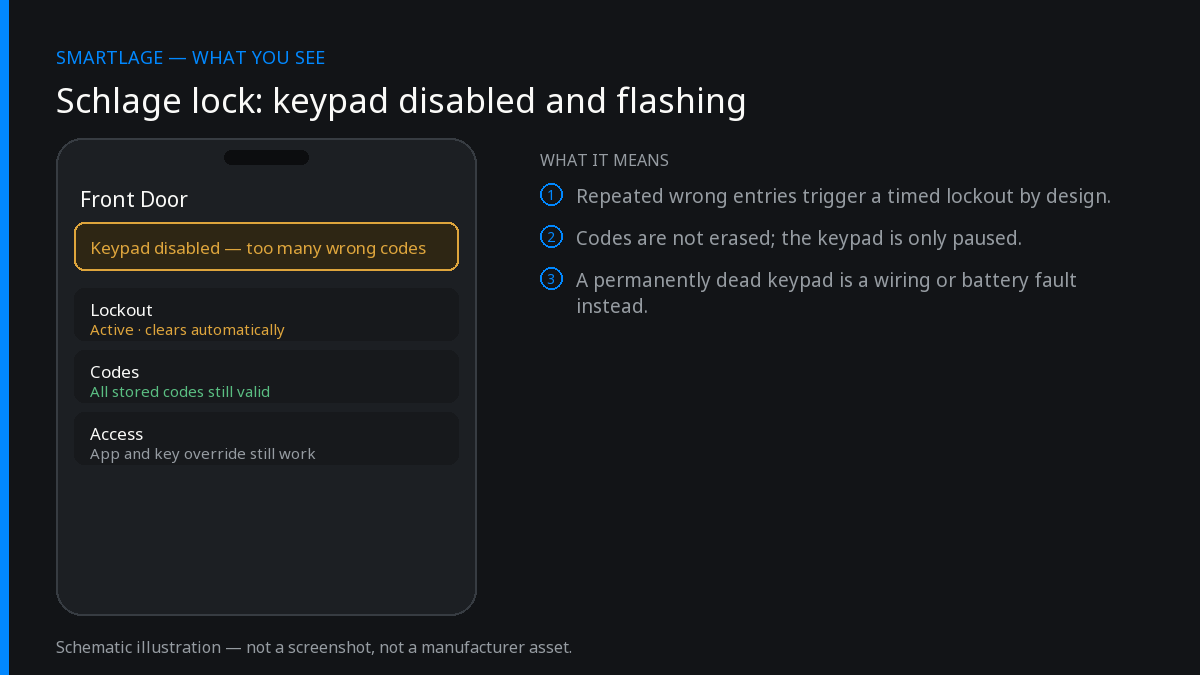
Cause 1: the security lockout after wrong codes
Every Schlage keypad locks out after a run of incorrect entries. This is intentional anti-tamper behaviour, it is temporary, and it is by far the most common reason a keypad stops responding. Continuing to press keys during the lockout typically restarts the timer, which is why people conclude the lock is dead.
Stop touching the keypad, wait, then enter one correct code. If you are not certain of the code, use a physical key or the app rather than guessing — each guess extends the problem. [VERIFY: exact number of failed attempts and lockout duration for your model; consult the user guide printed for that lock.]
If a child or a delivery driver has been pressing buttons, this is almost certainly what you are looking at.
Cause 2: batteries too low to drive the motor
A lock with a weak pack often lights the keypad and beeps but will not turn the bolt, or accepts a code and then does nothing. Some models refuse keypad entry entirely below a threshold to preserve enough power for a final unlock.
Fit a complete set of fresh alkaline cells before troubleshooting anything else. This costs two minutes and eliminates the second most common cause.
Cause 3: moisture, ice or debris on the keypad
Exterior keypads take weather. Water bridging two contacts registers as a continuous press, which the lock treats as tampering and which also drains the batteries fast. Ice does the same. Dry the keypad thoroughly, check that no button is physically stuck down, and look at the weather seal and the door's exposure.
If this recurs every winter or every storm, the durable fix is a storm door, a small canopy, or repositioning so wind-driven rain does not hit the keypad directly.
Cause 4: a lockout you or the app enabled
Several Schlage models have a vacation or lockout mode that intentionally disables user codes, and the app may expose a similar per-user or schedule-based restriction. A code that stopped working for one person while everyone else is fine is almost always an expired schedule or a revoked user, not a hardware fault.
Check the app's user list and schedules first. Where a physical thumbturn lockout switch exists on the interior assembly, check its position too. [VERIFY: which models expose a physical lockout switch.]
How to recover, in order
- Wait out any lockout period without pressing keys, then try one known-good code.
- Replace all batteries with fresh alkaline cells and retest.
- Dry and inspect the keypad; make sure no button is stuck.
- Check the app for expired schedules, revoked users or an active lockout mode.
- Use the app or a physical key to get in, then reprogram the affected code from the inside.
- If the keypad never lights at all with fresh batteries, that is a hardware fault — contact Schlage support rather than resetting.
Getting in while it is locked out
On keyed models the physical key always works and is unaffected by any electronic lockout. On Wi-Fi and HomeKit models you can unlock from the app or from Apple Home. On the Encode Plus, Home Key tap-to-unlock is independent of the keypad and will still work.
Keep at least one of those routes available at all times. A household where the only entry method is the keypad has a single point of failure by design.
Common questions
- Why is my Schlage keypad not responding?
- Most often a temporary security lockout after repeated wrong codes, or batteries too weak to drive the motor. Wait out the lockout without pressing keys, then fit fresh alkaline cells.
- How long does a Schlage keypad lockout last?
- It is a fixed timeout that clears on its own, and pressing more keys usually restarts it. The exact duration varies by model — check the user guide for your lock.
- Can rain disable a Schlage keypad?
- Yes. Water or ice bridging contacts registers as a held button, which the lock treats as tampering and which drains batteries quickly. Dry the keypad and check for a stuck button.
- Does a disabled keypad mean someone tried to break in?
- Not necessarily. Children, gloved hands and delivery drivers trigger it far more often than intruders. Check the app's activity history to see the failed attempts.
- Will a factory reset fix a disabled keypad?
- It is the wrong tool. A reset wipes every code and any HomeKit pairing without addressing a lockout, weak batteries or moisture. Exhaust those first.
Related
We also make Smartlage, an independent iPhone app for Schlage® locks — widgets, Shortcuts and faster access codes. What it does.