Why the Schlage® Home App Now Shows Ads (And What You Can Do About It)
These are first-party promotional banners from Schlage, not third-party advertising, and there is currently no setting to disable them. Your only real options are to control the lock through Apple Home instead (Encode Plus and Sense only), use a third-party app, or limit the official app to setup tasks.
By the Smartlage editorial team ·
Every fix is tested before publication. Steps we could not confirm on hardware are marked [VERIFY] rather than guessed. Our editorial standards.
Tested on: iOS [VERIFY: version not confirmed] · Schlage Home app [VERIFY: version not confirmed] · Lock firmware [VERIFY: version not confirmed] · Hardware [VERIFY: version not confirmed]
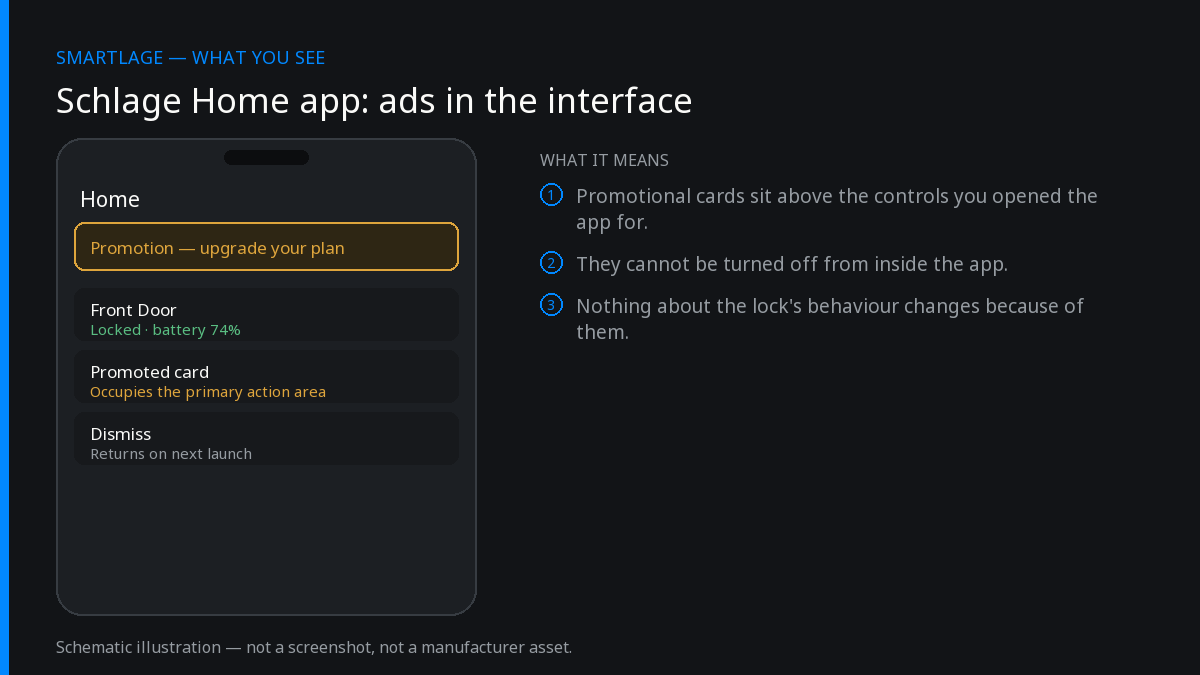
What the banners actually are
They are not third-party advertising. Schlage documented them in its own App Store release notes, describing banners as communication about new products, features and user tips. There is no ad network involved, no third-party tracking pixel and no auction — these are Schlage marketing Schlage products inside an app you already paid $200–$300 of hardware to use.
That distinction matters for two reasons. First, ad-blockers and DNS-level blocking (Pi-hole, NextDNS, AdGuard) will not remove them, because the banner content is served from Schlage's own API alongside your lock data. Blocking that domain breaks the app entirely. Second, it means the banners are unlikely to go away — they are a product decision, not a monetization experiment with a third party that might lapse.
Why there's no off switch
[VERIFY: confirm no toggle exists under Settings > Notifications or Settings > Preferences as of current version]
As of this writing there is no documented setting to disable in-app banners. The app's notification preferences govern push notifications about lock events, not in-app promotional content. Users who reported the banners alongside a forced app upgrade found no path back — once the minimum supported version moves, older builds stop authenticating against the API.
What actually works
The realistic options depend entirely on which lock you own, because Schlage's models differ sharply in whether they can be controlled outside the official app at all.
Check whether your lock supports Apple Home
Encode Plus (BE499) and Sense (BE479) can be added to Apple Home. The standard Encode (BE488/BE489) is Wi-Fi only and cannot — this is the single most important fork in the road.
Confirm: Open the Apple Home app. If your lock appears as an accessory, you have this option.
Move daily control to Apple Home (Encode Plus and Sense only)
Once paired, lock, unlock, status checks, Siri commands, automations and Home Key all work from Apple Home. You then open the Schlage app only for firmware updates and access-code management.
Confirm: You can lock and unlock from Control Center without opening the Schlage app.
Add access codes through Apple Home where supported
On Encode Plus, always-on access codes can be created and managed in Apple Home directly, removing one more reason to open the official app.
Confirm: [VERIFY: exact Apple Home menu path for lock access codes]
Use a third-party app (all Wi-Fi models)
For the standard Encode, Arrive, and anyone who wants widgets, Lock Screen controls or Shortcuts, a third-party client talks to the same Schlage cloud account without the promotional layer.
Reduce how often you open the app at all
Set auto-lock behaviour once, create your permanent codes once, and let notifications tell you what happened. Most owners open the official app daily out of habit, not need.
What doesn't work
- Blocking ads at the network level. The banners share an endpoint with lock state.
- Staying on an old app version. Forced upgrades cut off API access to older builds.
- Deleting and reinstalling. Banners return with the current version.
- Turning off notifications. Different system entirely.
If none of this helps
If you own a standard Encode and want out of the official app, your only options are a third-party client or Home Assistant, which reaches Schlage Wi-Fi locks through the same cloud API on a 30-second polling interval. Be aware that cloud polling meaningfully increases battery drain — see our battery article before setting that up.
Common questions
- Can I turn off the ads in the Schlage Home app?
- No setting currently exists to disable them.
- Are these third-party ads tracking me?
- No. They are Schlage's own promotional banners served from Schlage's API, not a third-party ad network.
- Will a Pi-hole or ad blocker remove them?
- No, and blocking the domain will break lock control.
- Does the Apple Home app show these banners?
- No. Apple Home has no promotional content, but only Encode Plus and Sense can be added to it.
- Did an app update force this on me?
- Yes for many users — the banners arrived with a mandatory version upgrade.
Sources
- Schlage Home release notes, App Store (official)
- Schlage Home listing, Google Play — user reviews (review)
- App Store user reviews, 2026 (review)
Related
- Schlage® Home App "Failed to Perform Action": How to Fix It
- Schlage® Home App Notifications Not Working: Complete Fix
- Schlage® Lock Shows Offline in the App But Works Manually
- Schlage Encode (BE489): features, limits and known issues
- Schlage compatibility matrix: every model against every feature
- Schlage Home app alternatives: Apple Home, Home Assistant and third-party apps
We also make Smartlage, an independent iPhone app for Schlage® locks — widgets, Shortcuts and faster access codes. What it does.