Why Your Schlage® Smart Lock Eats Batteries (And How to Stop It)
The radio, not the motor, eats the batteries. A Wi-Fi Schlage lock runs under three months on a set of cells in normal use; the same household on Thread runs over a year. If you are replacing batteries every few weeks, look at Wi-Fi signal strength at the door first, then auto-lock and alert settings, then the batteries themselves.
By the Smartlage editorial team ·
Every fix is tested before publication. Steps we could not confirm on hardware are marked [VERIFY] rather than guessed. Our editorial standards.
Tested on: iOS [VERIFY: version not confirmed] · Schlage Home app [VERIFY: version not confirmed] · Lock firmware [VERIFY: version not confirmed] · Hardware [VERIFY: version not confirmed]
Turning a deadbolt is cheap. Holding a network connection is not. That single fact explains almost every battery complaint about smart locks, and it is why two identical-looking Schlage models can have wildly different service intervals.
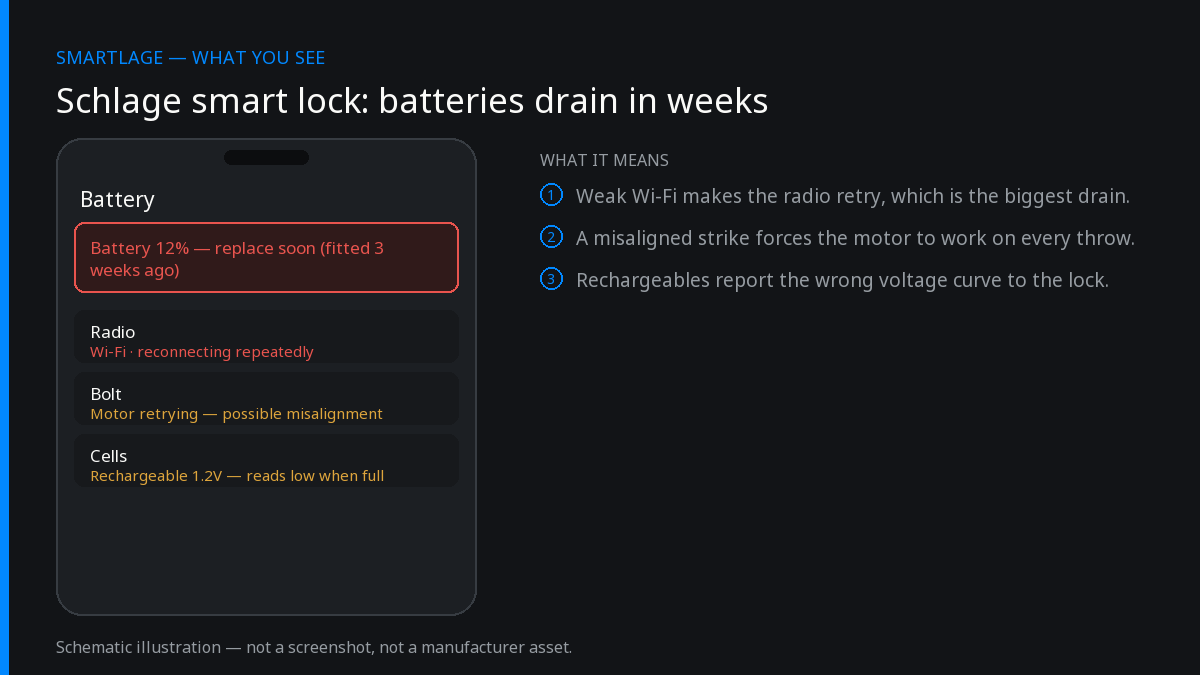
What actually drains the batteries
- Wi-Fi association and keep-alive traffic. This is the dominant cost on Encode models and runs continuously whether or not anyone touches the lock.
- Weak signal. A lock at the edge of coverage retransmits, raises transmit power and re-associates repeatedly. Same lock, same firmware, half the battery life.
- Frequent state changes. Auto-lock timers, geofenced routines and repeated remote polling all wake the radio.
- Cold. An exterior deadbolt in a hard winter reports lower voltage and cuts off earlier than the same pack indoors.
- Motor load. A misaligned strike plate makes the motor work against the frame on every cycle. This is a small share of total drain but a large share of sudden failures.
Wi-Fi versus Thread, in plain numbers
On the verified figures we hold, a Wi-Fi connection gives under three months of battery life while Thread gives over a year on the Encode Plus. That is not a tuning difference, it is an order-of-magnitude architectural difference: Thread devices sleep between short, low-power exchanges with a border router, where a Wi-Fi client maintains a comparatively expensive association.
If battery life is your main complaint and you own a Thread-capable lock that you set up over Wi-Fi, moving it onto Thread is the single biggest change available to you.
Thread requires a border router in the home — an Apple TV or HomePod for Apple Home setups, or an equivalent from your platform vendor.
What to change, in order of payoff
- Improve signal at the door. A mesh node or access point with line of sight to the lock does more for battery life than any in-app setting.
- Move to Thread if your model supports it and you have a border router.
- Lengthen or disable the auto-lock timer if it is firing repeatedly through the day.
- Trim alert types you do not read. Every event that generates a notification is a radio wake.
- Fix mechanical alignment. If the bolt does not throw freely with the door open and the motor strains when closed, adjust the strike plate.
- Use fresh, good-quality alkaline cells and replace all of them together.
Battery chemistry: what to avoid
Alkaline AAs are what these locks are designed around, and their discharge curve is what the battery gauge is calibrated against. Lithium primaries hold a higher, flatter voltage and can make the lock report full until it abruptly reports empty; rechargeable NiMH cells sit lower than alkaline from the start and can make a healthy pack look half-dead.
Mixing old and new cells, or brands, is worse than any of the above. Replace the whole pack at once.
Never use the battery gauge as a precise fuel level. Treat it as three states: fine, replace soon, replace now.
When drain is sudden rather than gradual
A pack that dies in days after months of normal service usually means the lock lost its network and is now retrying constantly, or a mechanical fault is stalling the motor. Check the app for a lock that has gone offline or is flapping between online and offline, and check that the bolt throws freely with the door open.
Also check for a stuck keypad button. A contact held closed keeps the lock awake indefinitely.
Practical expectations
For a Wi-Fi model at a well-covered door with modest traffic, plan on replacing batteries three or four times a year and keep a spare set in the hall drawer. For a Thread model, plan on once a year. Anything materially worse than that is a symptom, not the design.
Common questions
- How long should Schlage smart lock batteries last?
- On Wi-Fi, under three months is typical in normal use. On Thread, over a year. Anything much shorter points at weak signal, a mechanical problem or a lock that keeps losing its connection.
- Does turning off notifications save battery?
- A little. Each event the lock reports is a radio wake, so trimming alert types you never read helps, but it is a smaller effect than fixing signal strength or moving to Thread.
- Can I use lithium batteries in a Schlage lock?
- The gauge is calibrated for alkaline cells, so lithium packs tend to read full until they abruptly read empty. Standard alkaline cells, all replaced at once, give the most predictable behaviour.
- Why did my batteries die within a week of replacing them?
- Usually the lock has lost its network and is retrying continuously, or the bolt is binding against the strike plate. Check connectivity and mechanical alignment before buying more batteries.
- Does cold weather affect the batteries?
- Yes. Alkaline cells deliver less usable capacity in the cold, so an exterior deadbolt will report low earlier in winter than the same pack would indoors.
Sources
- Manufacturer: Verified battery-life figures: Wi-Fi under three months, Thread over a year (Encode Plus).
- General alkaline discharge behaviour in low-temperature outdoor use.
Related
- Schlage® Encode Won't Connect to Wi-Fi: 7 Fixes That Work
- Schlage® Lock Shows Offline in the App But Works Manually
- Schlage® Encode (BE489): Features, Limits and Known Issues
- Schlage Encode (BE489): features, limits and known issues
- Schlage compatibility matrix: every model against every feature
- Schlage Home app alternatives: Apple Home, Home Assistant and third-party apps
We also make Smartlage, an independent iPhone app for Schlage® locks — widgets, Shortcuts and faster access codes. What it does.