Schlage® Home App Notifications Not Working: Complete Fix
In most cases the alerts are being suppressed on the iPhone, not lost by the lock: check iOS notification permission, Scheduled Summary and Focus first, then the per-lock activity toggles in the app, then whether the lock is online at all. A sign-out, delete and reinstall fixes the remaining cases by re-registering the push token.
By the Smartlage editorial team ·
Every fix is tested before publication. Steps we could not confirm on hardware are marked [VERIFY] rather than guessed. Our editorial standards.
Tested on: iOS [VERIFY: version not confirmed] · Schlage Home app [VERIFY: version not confirmed] · Lock firmware [VERIFY: version not confirmed] · Hardware [VERIFY: version not confirmed]
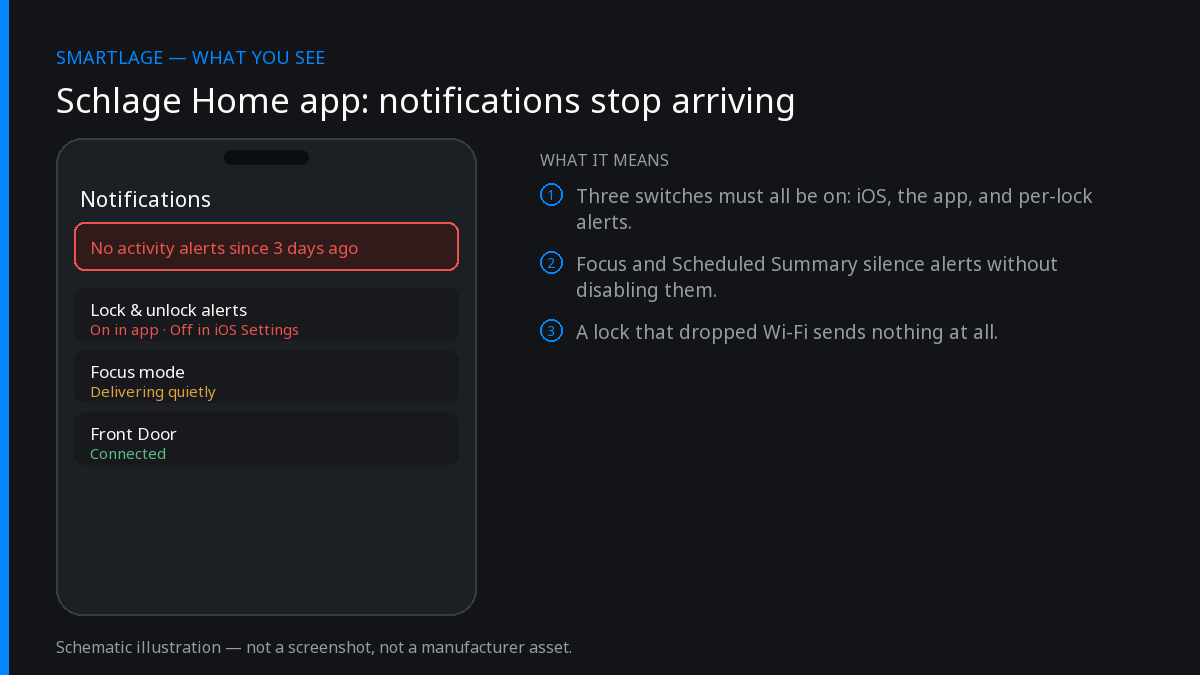
Work through these in order
Confirm iOS notification permission
Settings > Notifications > Schlage Home. Allow Notifications must be on, with Lock Screen, Banners and Sounds enabled. A permission that was denied at install never prompts again.
Turn off Focus and Scheduled Summary for the app
Scheduled Summary silently batches lock alerts hours later, which reads as 'no notifications'. Remove Schlage Home from Settings > Notifications > Scheduled Summary, and allow it in any active Focus.
Re-enable activity alerts inside the app
In the Schlage Home app, open the lock, then its notification or activity settings, and confirm each event type you care about (lock, unlock, code used, low battery) is switched on. These reset after some app updates. [VERIFY: exact menu path and label]
Check the lock is actually online
Alerts are sent from the cloud, not the phone. If the lock shows offline or last-seen hours ago, this is a Wi-Fi problem, not a notification problem — fix connectivity first.
Disable router power saving on the 2.4GHz band
Wi-Fi power saving, airtime fairness and band steering can drop the lock's long-lived connection so events never reach the cloud. Give the lock a dedicated 2.4GHz SSID if your router allows it.
Sign out, delete the app, reinstall, sign back in
A reinstall re-registers the device push token, which is the usual culprit when notifications stopped for one phone but still work on another household member's phone.
If none of that works
Test with a second phone on the same account. If the second phone receives alerts, the problem is local to the first device and a reinstall is the fix. If neither phone receives them, the lock's cloud connection is the problem and the Wi-Fi troubleshooting applies.
Common questions
- Why did Schlage notifications stop working after an iOS update?
- Major iOS updates can reset Scheduled Summary and Focus rules, and in some cases invalidate the app's push token. Re-check notification permissions and reinstall the app to re-register the token.
- Do Schlage lock notifications work without Wi-Fi?
- No. Push alerts are sent from the cloud, so a Wi-Fi model must be online. Bluetooth-only models report activity only while your phone is in range or a home hub relays it.
- Why do only some notification types arrive?
- Event types are toggled individually in the app's per-lock activity settings. Lock and unlock alerts can be on while code-used or low-battery alerts are off.
Related
- Why the Schlage® Home App Now Shows Ads (And What You Can Do About It)
- Schlage® Home App "Failed to Perform Action": How to Fix It
- Schlage® Lock Shows Offline in the App But Works Manually
- Schlage Encode (BE489): features, limits and known issues
- Schlage compatibility matrix: every model against every feature
- Schlage Home app alternatives: Apple Home, Home Assistant and third-party apps
We also make Smartlage, an independent iPhone app for Schlage® locks — widgets, Shortcuts and faster access codes. What it does.