Apple Home Key Stopped Working on Schlage® Encode Plus
Home Key living in Wallet is created during HomeKit pairing, so when it disappears or stops reading, the fix is almost always at the Apple Home end rather than the lock end. Check the hardware requirement first (iPhone XR or newer, Apple Watch Series 4 or newer), then Express Mode, then the home's hub, and only then remove and re-add the accessory — which regenerates the key and requires re-issuing it to everyone in the home.
By the Smartlage editorial team ·
Every fix is tested before publication. Steps we could not confirm on hardware are marked [VERIFY] rather than guessed. Our editorial standards.
Tested on: iOS [VERIFY: version not confirmed] · Schlage Home app [VERIFY: version not confirmed] · Lock firmware [VERIFY: version not confirmed] · Hardware [VERIFY: version not confirmed]
The Encode Plus (BE499) is the Schlage® deadbolt that supports Apple Home Key. The tap-to-unlock card is provisioned into Wallet when the lock is added to a home, and it is tied to that home, not to the lock alone. Almost every Home Key failure traces back to that relationship.
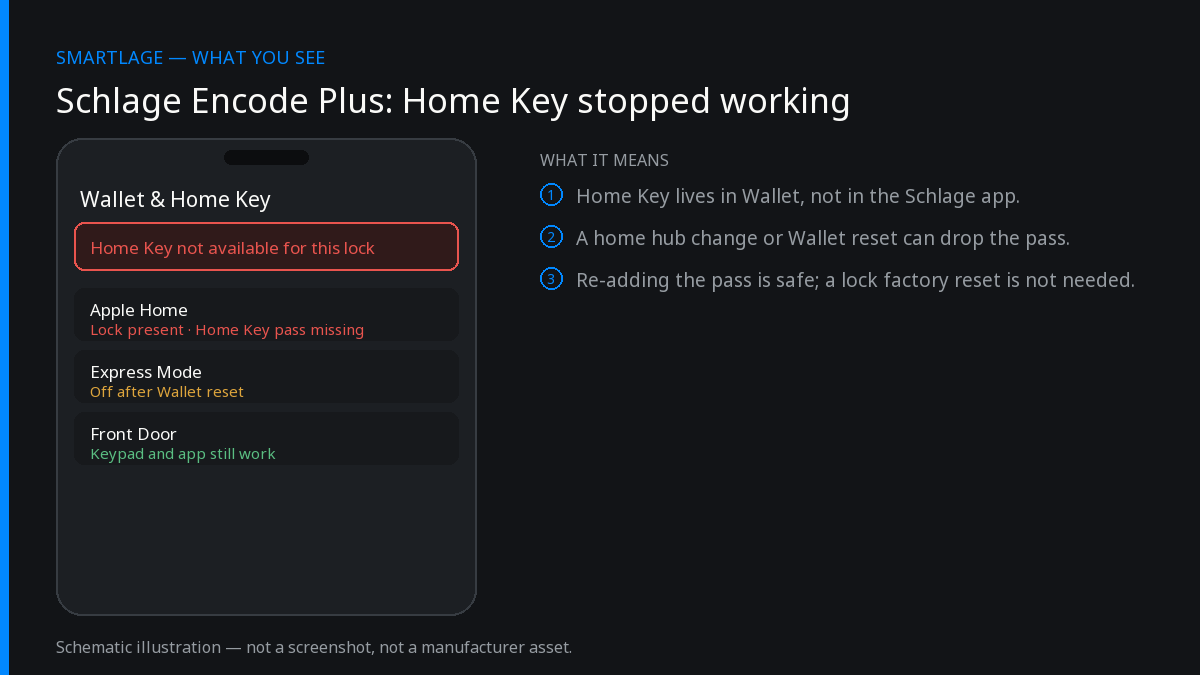
Fixes in order, least disruptive first
Confirm the device actually supports Home Key
NFC Home Key requires iPhone XR or newer, or Apple Watch Series 4 or newer. An older device in the household will never show the card no matter what you do at the lock.
Confirm: The Home Key card is present in Wallet on a supported device.
Check Express Mode is on for the key
Open Wallet, select the home key, and confirm Express Mode is enabled. Without it you must authenticate before every tap, which reads to most people as 'Home Key stopped working'. Low Power Mode can also suppress Express transactions.
Confirm: Tapping the reader unlocks without a Face ID prompt.
Tap the right spot, and hold it
The NFC antenna is at the top of the iPhone's back and the reader area on the lock is a specific zone on the exterior escutcheon, not the whole face. Hold steady for a second rather than swiping past. Thick cases with metal plates or magnets degrade the read.
Confirm: The lock responds on the first tap, consistently, from the same position.
Restart the phone and the home hub
Home Key state is synchronised through the home. Restart the iPhone, then the Apple TV or HomePod acting as home hub. This resolves a surprising share of cases where the card is present but does nothing.
Confirm: The lock shows as responding in the Home app, not 'No Response'.
Confirm the lock is still in the home and responding
If the accessory shows 'No Response' in the Home app, the problem is HomeKit connectivity, not Home Key. On a Thread setup that usually means the border router is unreachable; power-cycle the hub and confirm Thread is healthy before touching the pairing.
Sign out of iCloud on the affected device and back in
Home Key rides on iCloud Keychain. On a single device that lost its card while others kept theirs, a sign-out and sign-in re-syncs the credential. Ensure Keychain sync is enabled.
Confirm: The card reappears in Wallet without re-pairing the lock.
Remove the accessory from Apple Home and re-add it
The last resort. Removing the lock from the home invalidates the existing home key for everyone, so every household member has to receive a new one after re-pairing. Keep the HomeKit setup code from the lock documentation before you start — without it you cannot re-add the lock.
Confirm: Every household member sees a new key in Wallet and can unlock by tap.
What removing the lock does and does not wipe
Removing the accessory from Apple Home destroys the HomeKit pairing and every home key issued from it. It does not erase keypad access codes stored on the lock, and it does not reset the lock to factory state. A factory reset is a separate, more destructive action that clears codes too.
Before re-pairing, write down the codes you rely on. Even where they survive, having the list saves you a bad evening.
Locate the HomeKit setup code first. It is printed in the lock's documentation and on a label inside the interior assembly.
Home Key versus the Schlage app
Home Key is an Apple feature. The official Schlage® Home app is not involved in the tap, and nothing you change in that app fixes a Home Key problem. Conversely, a lock that is unreachable in the Schlage app can still tap-to-unlock perfectly, because the NFC exchange is local between phone and lock.
That local-first design is also why Home Key keeps working when your internet is down — one of the strongest arguments for the Encode Plus over the standard Encode.
Guests and shared keys
Home keys are issued per person in the home, through Apple Home's invitation system. If a guest's key stops working, check whether their access was removed or their schedule expired in Apple Home before troubleshooting the lock.
Common questions
- Which Schlage locks support Apple Home Key?
- The Encode Plus (BE499) is the Schlage deadbolt with Apple Home Key. The standard Encode BE488/BE489 has no HomeKit support at all, so it cannot offer Home Key.
- Which iPhones work with Home Key?
- iPhone XR or newer, and Apple Watch Series 4 or newer. Older devices cannot hold a home key.
- Does Home Key work without internet?
- Yes. The tap is a local NFC exchange between the phone and the lock, so it works during an internet or Wi-Fi outage.
- Why did Home Key disappear from Wallet after I reset my phone?
- The key syncs through iCloud Keychain. Confirm Keychain sync is on and that you are signed into the same Apple Account that is a member of the home; if it still does not appear, have the home owner re-invite you.
- Do I lose my access codes if I re-pair the lock with Apple Home?
- Removing the accessory from the home does not erase keypad codes stored on the lock, but a factory reset does. Note your codes down before any major step.
Sources
Related
- Adding a Schlage® Lock to Apple HomeKit: Which Models Can and Can't
- Schlage® Encode Plus (BE499): Home Key, Thread and Known Issues
- Schlage® Lock Automations: Auto-Lock, Geofencing, and Door Sensors
- Schlage Encode Plus (BE499): features, limits and known issues
- Schlage compatibility matrix: every model against every feature
- Schlage Home app alternatives: Apple Home, Home Assistant and third-party apps
We also make Smartlage, an independent iPhone app for Schlage® locks — widgets, Shortcuts and faster access codes. What it does.